Security built around your business context.
Woorker is designed to give teams control over how business data, connected tools and AI-powered actions are used.
Protection built into how the product is structured.
Woorker's architecture separates workspaces, controls access by role, and limits what a connected tool can do to exactly what it's authorized for.
Encrypted in transit
Traffic between your browser, Woorker and connected integrations is encrypted using TLS.
Workspace separation
Each workspace's CRM records, Business Twin context and connected accounts are kept logically separate from other workspaces.
Secure authentication
Account access is protected by standard secure-authentication practices for the product.
Role-based access
Where role-based permissions are enabled, they govern what a member of your workspace can view, edit or connect.
Controlled integrations
Each integration is scoped to the specific read and write capabilities listed on the Integrations page — nothing broader by default.
User-authorized actions
Actions that reach outside your workspace — like sending an email — run only where you've authorized that integration to write.
Woorker recommends. You stay the one who decides.
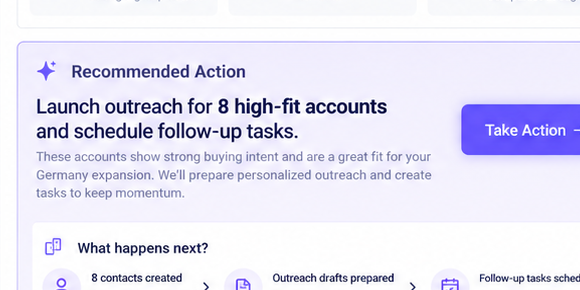
The Business Twin surfaces a recommendation — sending outreach, creating a meeting, updating a CRM record, triggering a workflow. Sensitive or external actions are built to route through your review before anything leaves your workspace.
Business Twin recommendation
A specific, context-grounded next step is surfaced.
User review
You see exactly what will run before it runs.
Approval
Sensitive or external actions wait for your go-ahead.
Action execution
The approved action runs through the relevant integration.
Activity log
What ran, and when, is recorded against the account.
Examples of actions that follow this review path: sending outreach, creating meetings, updating CRM records, triggering workflows.
Every connected app runs on the least access it needs.
Woorker requests the minimum read and write permissions required for each integration to be useful — not blanket account access.
Gmail
Calendar
Drive
API / Webhooks
Full per-integration read/write breakdowns are on the Integrations page — click any connector to see exactly what it can read and write.
Precise about what the AI can see and do.
The Business Twin is built from the business context you connect and authorize. It's used to generate recommendations and, where you approve, to execute actions — not for purposes outside your workspace.
What context AI can access
Only the data sources you've connected for your workspace — CRM records and any integrations you've explicitly authorized.
How context is used
To ground recommendations in your actual business data, and to prepare the specific action you're asked to approve.
Where control exists
You choose which sources are connected, can review what's been imported, and can disconnect a source at any time.
How actions are approved
Sensitive and external actions are designed to require your approval before they run, per the human-in-the-loop flow above.
Permissions structured around how your team actually works.
Workspace-level permissions
Access is scoped to your workspace — the companies, contacts, deals and Business Twin context that belong to it.
Owners & admins
Workspace owners and admins manage members, connected accounts and workspace-level settings.
Member permissions
Team members work within the access their role grants inside the workspace.
Connected account ownership
A connected integration (like a Gmail account) is tied to the person who authorized it.
What ran, and when, stays visible.
Executed actions are recorded against the account they touched, so you can see what the Business Twin did — not just what it recommended.
Every action, tied back to its account.
- Action history alongside the account it touched
- Connection history for integrations you've authorized
- Sync status for each connected source
Run on standard, maintained infrastructure.
Woorker runs on managed cloud infrastructure with secure transport, routine monitoring and a backup strategy appropriate to a production SaaS application. We don't publish specific vendor names here so this page doesn't go stale — ask us directly if that level of detail is part of your procurement review.
A current subprocessor list is available on request.
We use a small number of infrastructure and service providers to operate Woorker. Rather than publish a list here that can drift out of date, we share the current list directly — see the Subprocessors page or contact us.
Principles that shape how the Business Twin behaves.
Context-aware recommendations
Recommendations are grounded in your connected business data, not generic guesses.
Human approval
Sensitive and external actions are designed to wait for your review.
Transparency
What a recommendation is based on, and what an action will do, is shown before you approve it.
Traceable actions
Executed actions are recorded, not silent.
Least-privilege integrations
Connectors request only the access they need to be useful.
Found a security issue?
Report a security issue
Email hello@woorker.io with details, and our team will follow up directly.